
A relationship, not a row.
Contact history, notes, calls, email activity and follow-ups stay together. Expand a contact for more room, search their history, and correct or remove a saved entry.
Remember the contextMeet your next real estate workspace
REAL ESTATE OS / MADE FOR YOUR NEXT CHAPTER
From the first conversation to the next chapter.
Your people, properties and follow-through, in one thoughtful workspace.
In private development. Thoughtfully built for your daily work.
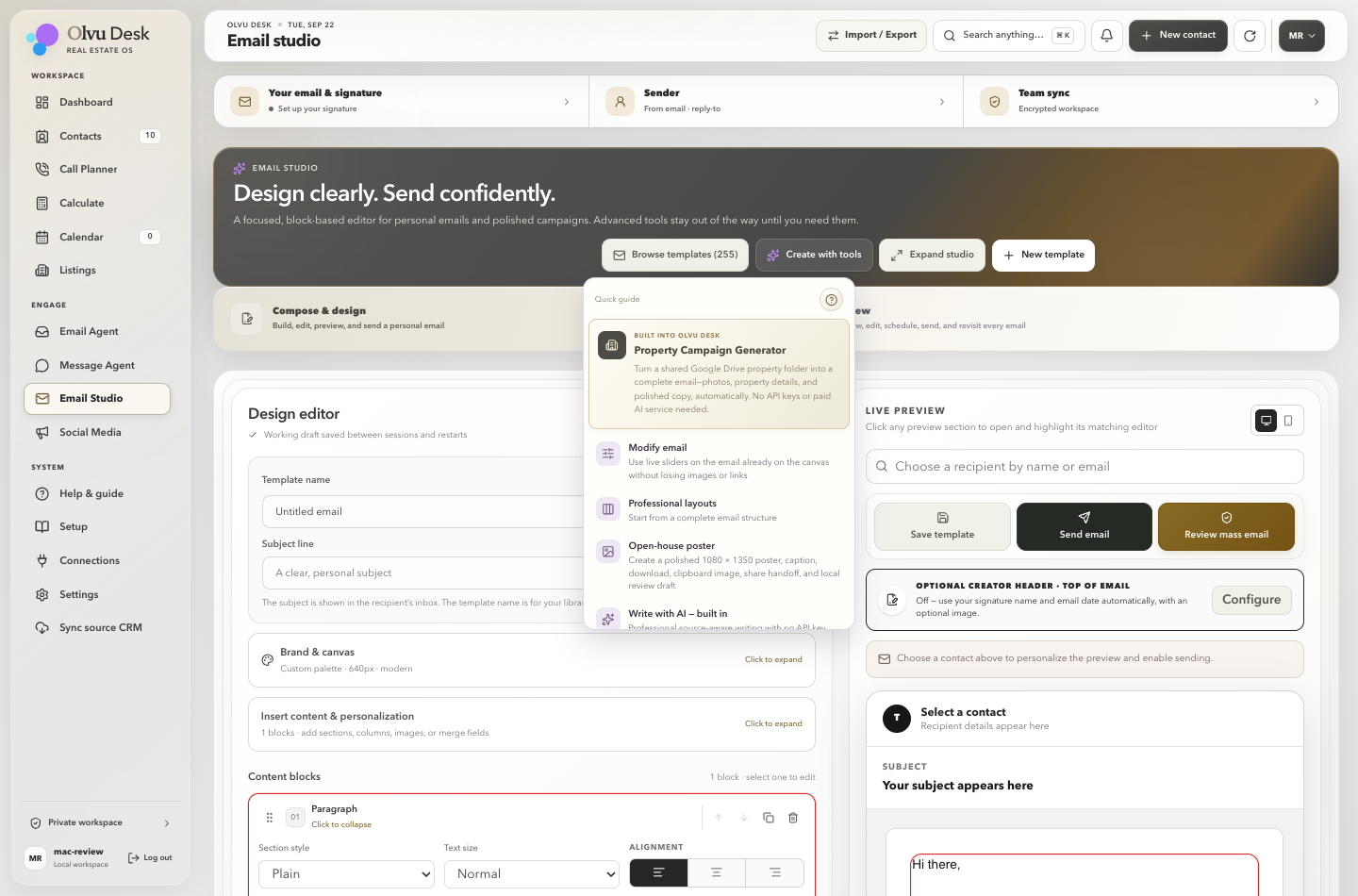
Actual Olvu Desk · fictional demonstration workspace
Contacts · Listings · Email · Calendar · Follow-ups
A CLOSER LOOK AT YOUR NEXT DESK
Pick a task. Follow the steps. This is the actual Olvu Desk workspace, shown with fictional demonstration data.
FROM PROPERTY MATERIALS TO POSSIBILITY
The core generator needs no external AI API key. Drive links must allow viewing.
Meet the campaign generator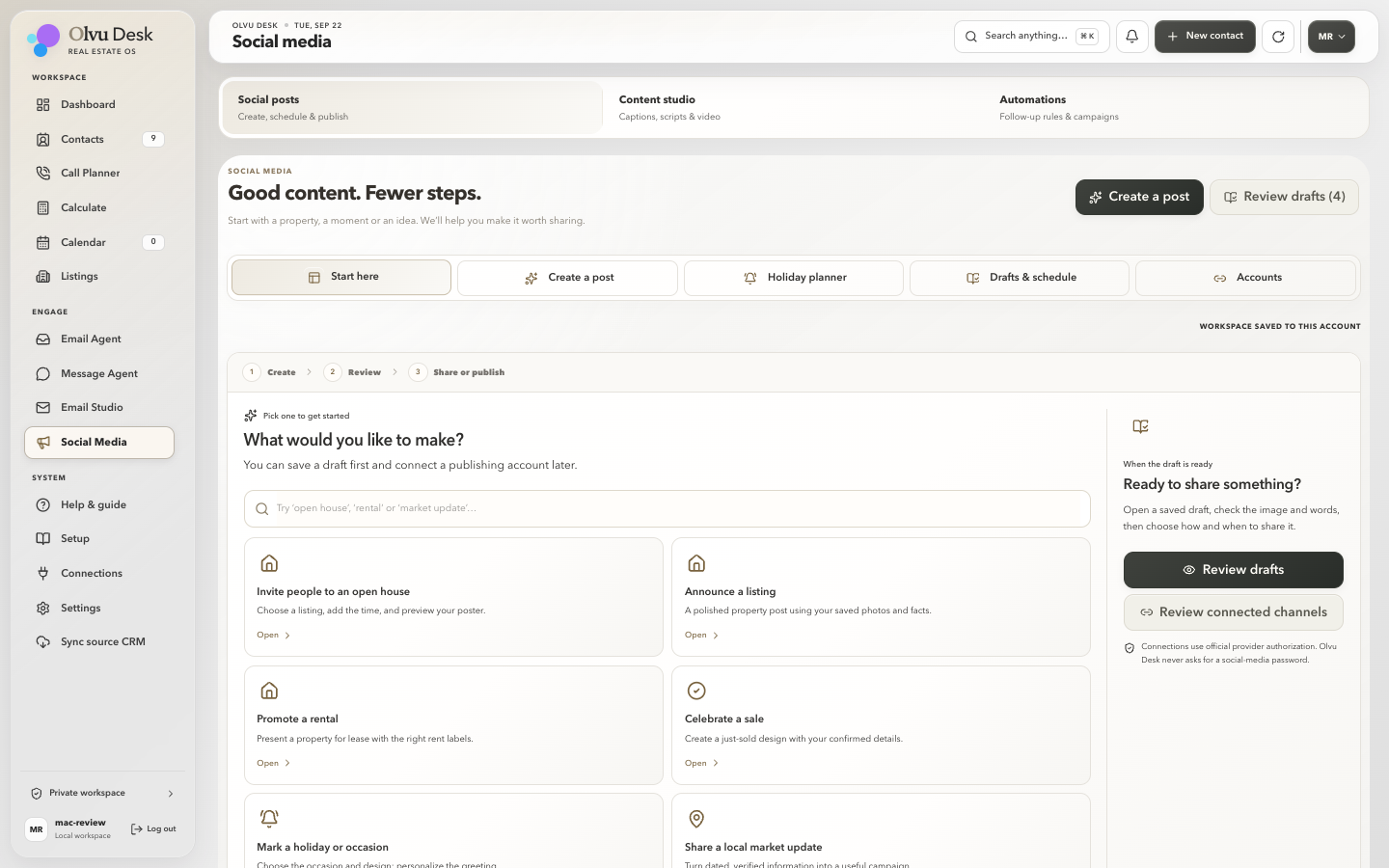
ONE PROPERTY. SO MANY POSSIBILITIES.
Publishing needs a supported connection, permission to use the property materials and your approval.
Be there for the launch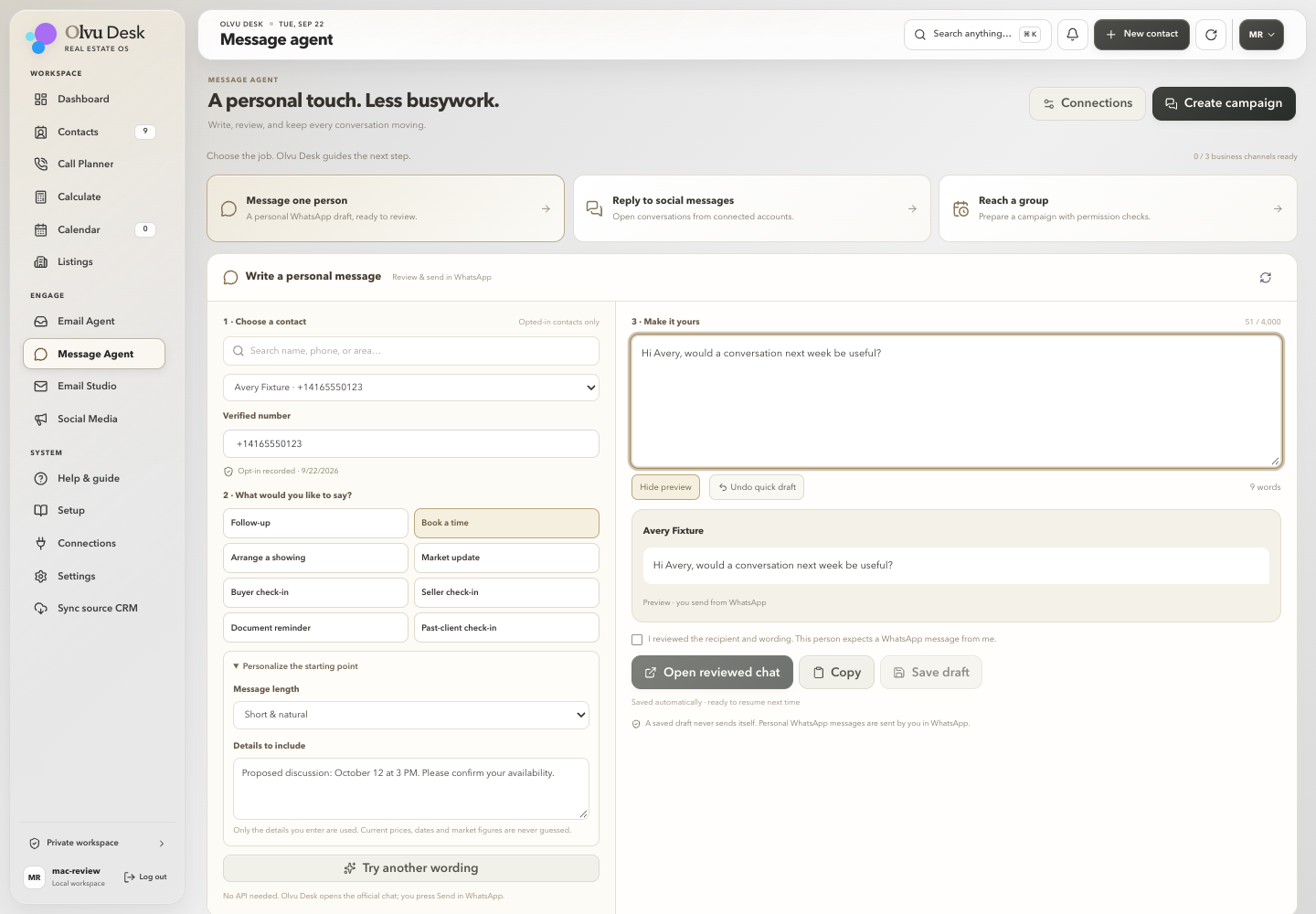
FOLLOW THROUGH, THOUGHTFULLY
Business messaging is a separate connection with its own provider permissions and delivery requirements.
More about staying in control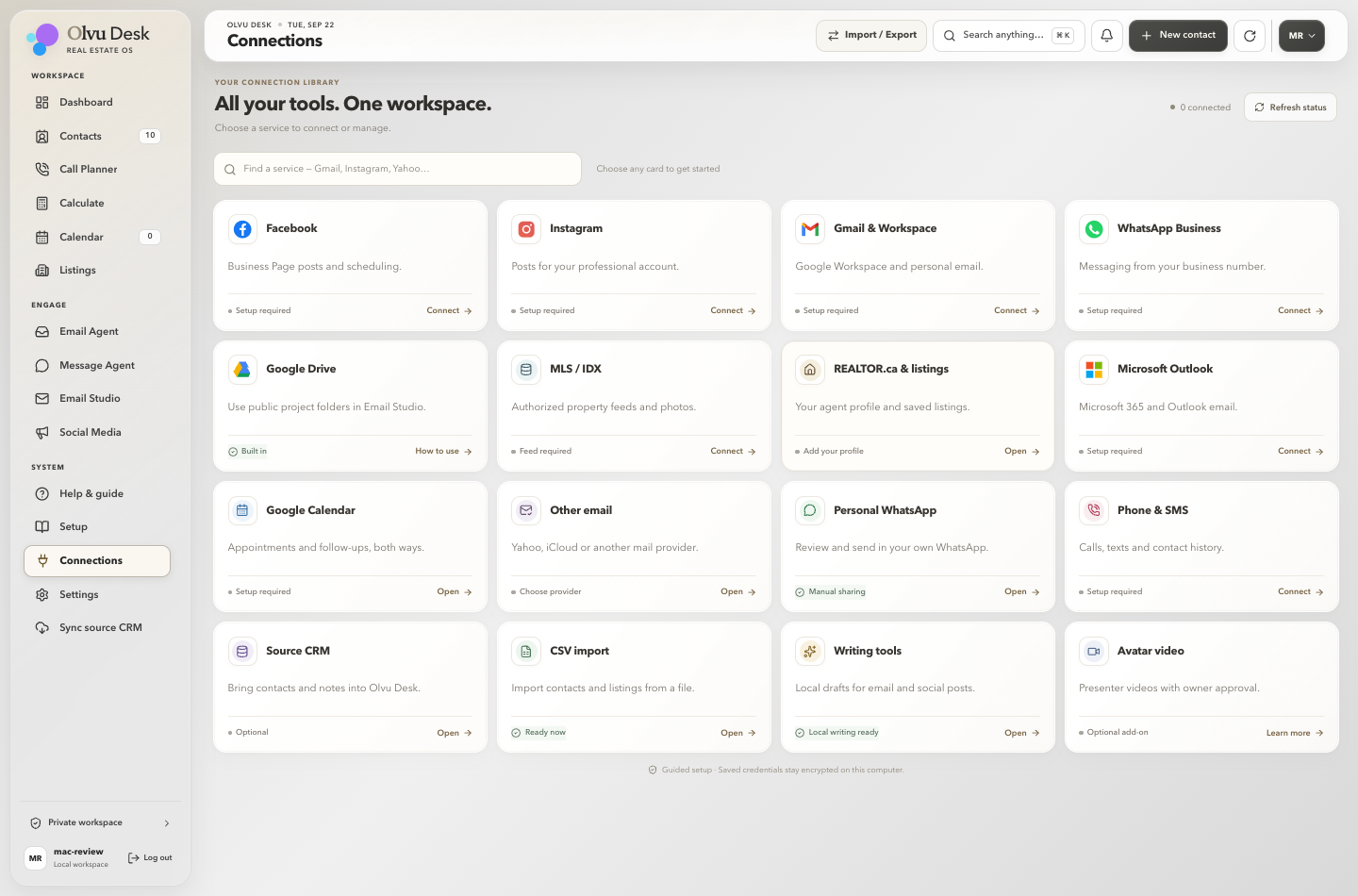
A GUIDED WAY TO GET CONNECTED
A REALTOR.ca link is a property source, not a live MLS feed. Automatic feed access requires the appropriate authorization.
Read the practical detailsTHE PROPERTY CAMPAIGN GENERATOR
Turn property materials from a shared Google Drive folder into a designed email draft—with photos, details and your signature brought together.
No external AI API required for the core campaign generator. Use a public sharing link or upload your documents, review the result, and make it yours.
Choose a shared Google Drive folder or upload your property documents. Olvu uses the materials you provide.
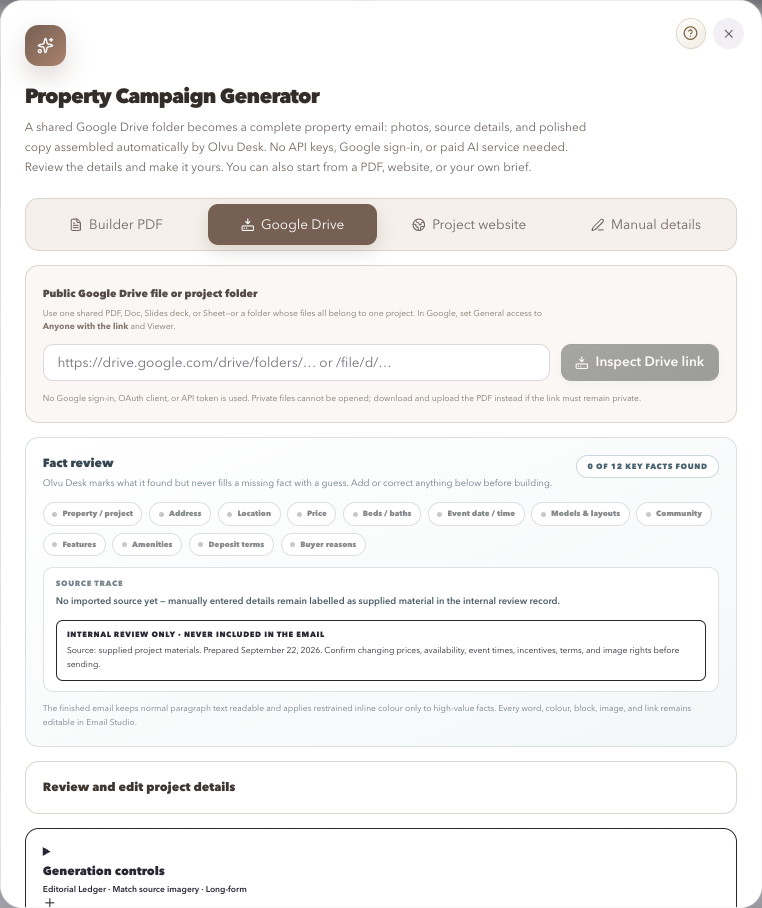
Begin with the property materials you already have.
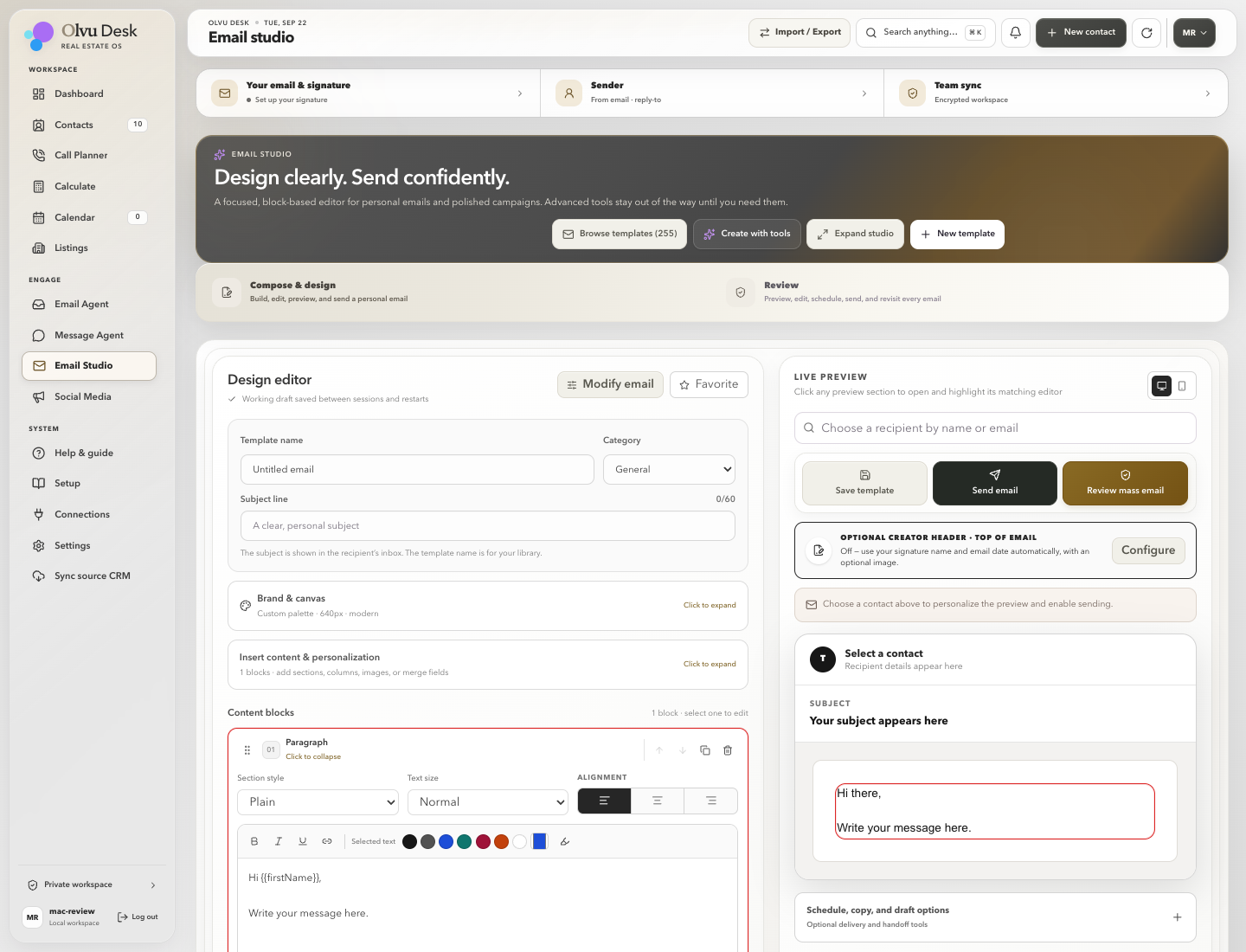
Your editor and preview sit together. Change a detail and check the result.
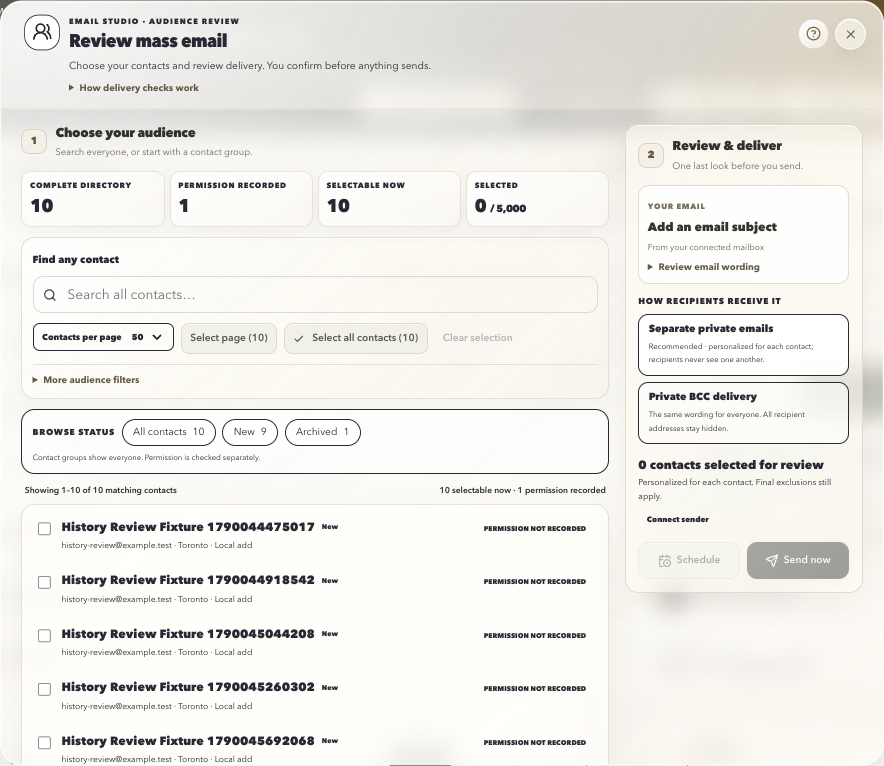
Choose the audience, check permission, and confirm the final delivery.
Actual workspace screens · fictional demonstration data
Actual workspace · choose the occasion, then follow the steps.
FROM LISTING TO LASTING IMPRESSION
Give each property its own creative workspace. Create an email, a listing post or an open house poster from the information you already have.
BUILT AROUND THE WORK YOU ACTUALLY DO
Choose the tools you need today. There is room to grow into the rest.
Contact history, notes, calls, email activity and follow-ups stay together. Expand a contact for more room, search their history, and correct or remove a saved entry.
Remember the contextKeep property facts and photos in one place. Turn a saved listing into a campaign, open house poster, for-sale announcement or sold and leased creative.
Build from what you already haveGenerate property emails from shared Drive materials or uploaded files. Adjust the design, use saved templates and signatures, then review your audience and delivery.
The core generator needs no AI API keyWork with supported mailboxes, prepare replies and choose review-and-send or configured auto-send. Connection readiness and sending permissions still matter.
Choose how the agent helpsGuided starting points for properties, holidays, community posts and market updates. Try different layouts and palettes, save drafts, and review publishing or scheduling.
Original presentation, familiar stepsChoose a person and a purpose, shape the wording and check the preview. Personal WhatsApp opens the reviewed conversation for you to send; business delivery needs its own setup.
Your voice stays in the conversationAppointments, follow-ups and scheduled work share a calendar. Connect Google to bring events in and sync supported appointments and follow-ups back.
A connected account is requiredPrepare a useful call list, review calling permission, record the outcome and keep the next action close to the conversation.
Less searching before the callGuided help, compact connections, appearance choices and local workflow shortcuts. Preview imports, keep backups and carry your work between sessions.
Practical control, without the clutterA LITTLE GUIDANCE GOES A LONG WAY
A professional workspace should feel approachable from the very first day.
Add your realtor details, brokerage and saved signature. Choose your appearance and connect the services you want to use.
Import a contact spreadsheet and review the preview before adding it. Existing records and saved opt-outs are preserved; an import never grants permission to contact someone.
Start with a saved listing or property materials. Make a campaign or post, choose photos and a design, then review the property details before sharing.
Save a note, plan a call or book a follow-up. Your local workspace keeps your work between sessions. Scheduled jobs need the app or local service to be running.
YOUR WORK DESERVES A THOUGHTFUL HOME
A local workspace with clear boundaries. Useful automation should make the work easier to manage, while keeping the important choices in your hands.
Contacts, drafts and preferences live in your local workspace. Back up the workspace regularly and keep a recovery copy somewhere safe.
Optional authenticator protection, recovery codes and session controls are available. Stored provider secrets and protected backups have separate encryption safeguards.
Consent history, opt-outs, global suppression and calling review support responsible outreach. Your permissions, source facts and final delivery choices remain essential.
The contact database is not yet fully encrypted. Signed installers, independent security and provider certification are still being completed; they are not claimed here.
THOUGHTFULLY, FROM THE START
What you need to start, what connects,
and what is still taking shape.
Olvu Desk is a real estate workspace that brings contacts, listings, email, follow-ups and marketing tools together. Real Estate OS is our way of describing one connected place for your daily work.
Yes. You can review drafts before sending and choose the email agent’s mode. Automated sending requires your setup and permissions; creating a campaign doesn’t publish or send it.
The core Property Campaign Generator assembles email drafts from your property materials without an external AI API. Shared Google Drive links must allow viewing; private materials can be uploaded instead. Downloads need an internet connection. Optional writing features may have separate requirements.
Olvu includes setup paths for Google, Microsoft and supported mail servers, with Google Calendar syncing. Availability depends on your provider, account permissions and connection setup.
The current local release is being developed for Windows and macOS. You open your workspace through its local launcher or localhost browser address. Your data stays in its saved workspace between sessions. Internet access is needed for provider connections, shared Drive materials and online delivery; local scheduled work needs the app or service running. Final supported versions and installer verification will be published with the release.
No. Direct publishing depends on the platform, the type of content, the connected business account and its permissions. Eligible Facebook Page drafts have a review-and-publish path. Some designs or channels use a download-and-share workflow. Meta authorization and real-account acceptance are separate from a connection screen; universal production support is not promised.
A saved public link is a useful source, not a live MLS feed. Automatic feed access needs the correct MLS/DDF authorization. Review the source and refresh the property information before marketing. A missing or unavailable listing must not be assumed sold.
The current focus is the local Olvu Desk app. Hosted accounts, team management and billing are deferred. Joining the launch list does not create a cloud account, start a subscription or charge you.
Olvu Desk is currently in private development. Join the launch list below to hear when it is ready. A signup reserves your interest; it does not create a cloud account or download a private workspace.
SOMETHING THOUGHTFUL IS ON ITS WAY
Be among the first to hear when Olvu Desk launches. Leave your details and we’ll keep you in the loop.